User journey
A day inside Psyche.OS.
Not a feature list. This is who actually opens the product, what a real day looks like once they do, and what it still asks of them. Every scene below maps to a screen that exists and runs today.
Who it's for
Three counsellors, one interface, no separate modes.
Psyche.OS was designed and stress-tested against three real patterns of use, not one idealised power user. The interface has to hold up for all three at once, often on the same device.
The Lead
Senior counsellor.
Writes in detail, signs promptly, uses the on-device model sparingly. Co-signs the intern's work and owns the crisis protocol when it's needed.
The Counsellor
Mid-career, the median day.
Sparser notes under real interruption, the occasional unfinished draft, a missed follow-up now and then. This is who the interface actually has to work for.
The Intern
Junior, in training.
Leans on the on-device model more, tags a little looser. Their work is attested rather than signed, which is exactly what gives the Lead something to review.
Teachers and parents get a hand-off, not an account: a read-only overview of what they need to know, one action (a referral, or a consent decision), and a message thread. And the student is never a user of the software. They're who the whole interface is arranged around.
Scene 01
Arrival.
A counsellor opens Psyche.OS, installed to the home screen, no browser chrome, opens instantly even with a weak signal. Today's Queue is already prioritised. Risk is shown as luminosity, not a red badge shouting for attention. Nobody has to triage first. It's already done.
Scene 02
A walk-in.
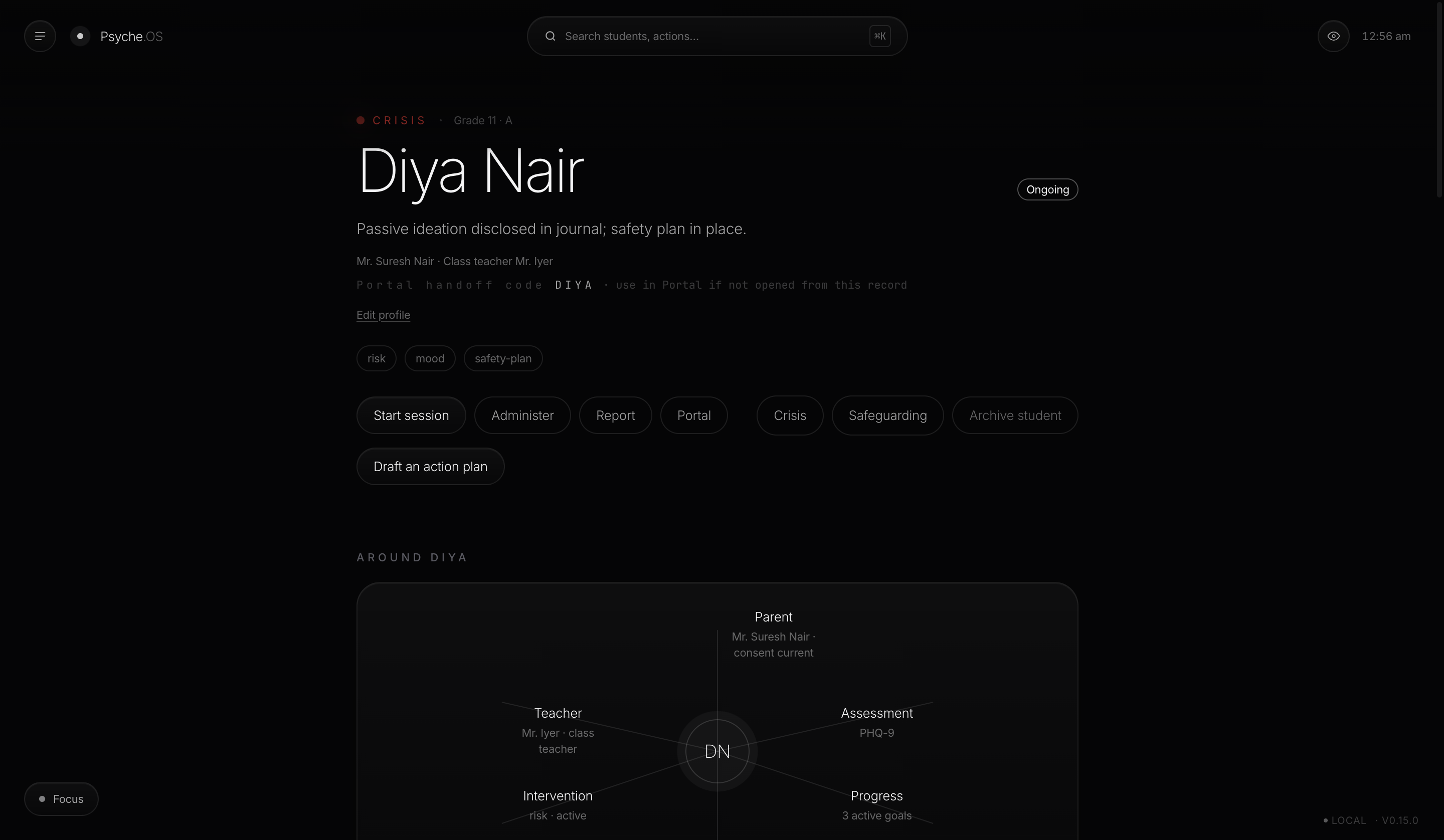
A student appears unannounced. Command Palette, one keyboard shortcut, a name typed, and the counsellor is in that student's workspace in under two seconds: one continuous scroll, nothing behind tabs. If it's a new case, Intake takes a risk level and a few quick tags, and the case is live on the roster immediately.
Scene 03
The session.
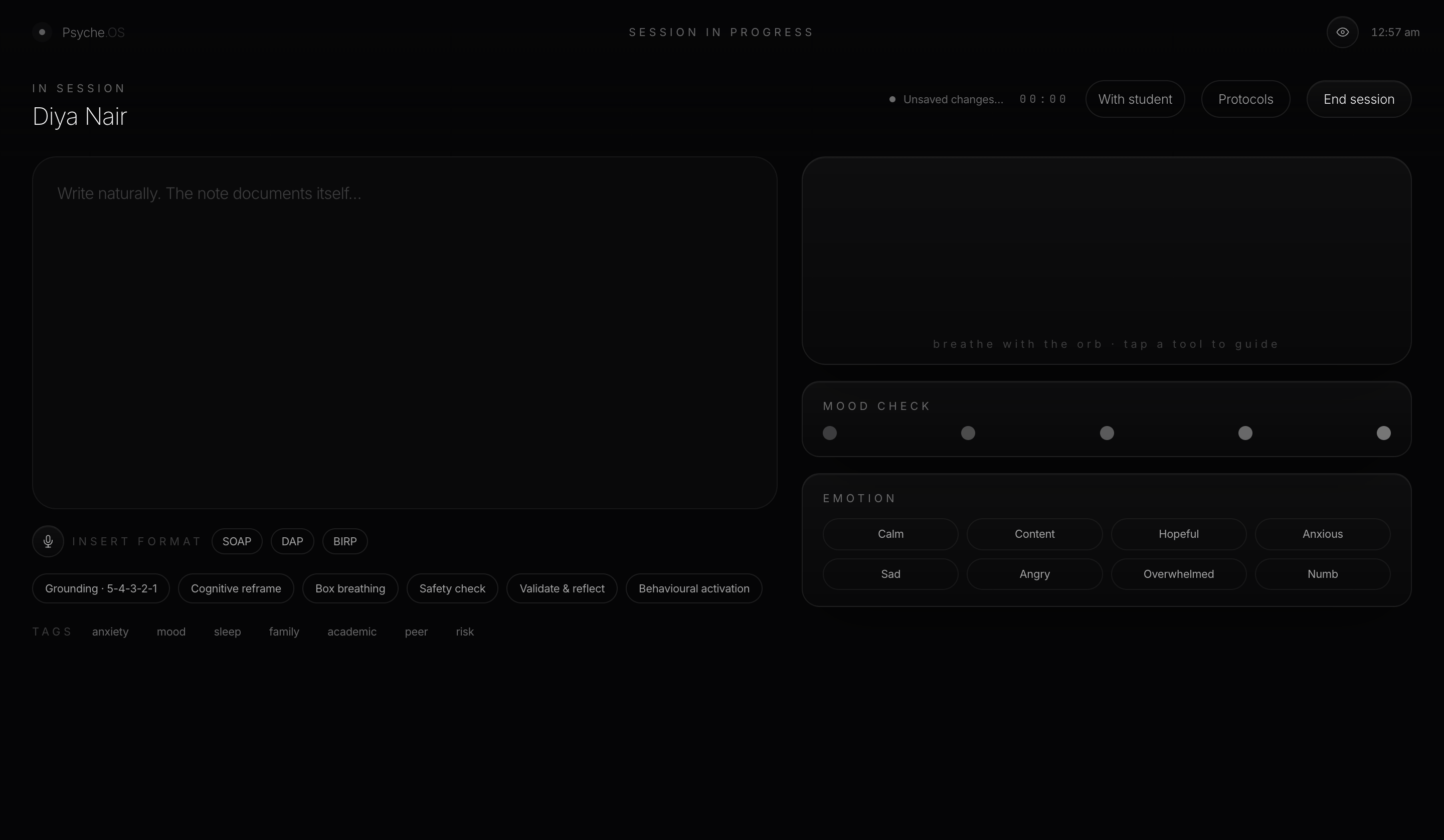
The interface transforms around the conversation: live notes, a mood check, an emotion wheel, intervention shortcuts. Nobody stops to "write a note." As the counsellor types naturally, a SOAP note composes itself in the margin, on-device, grounded strictly in what was actually written. Nothing invented, ever. If in-the-moment guidance is needed, the protocol deck opens as an overlay, right over the live session, without breaking it.
Scene 04
If it turns into a crisis.
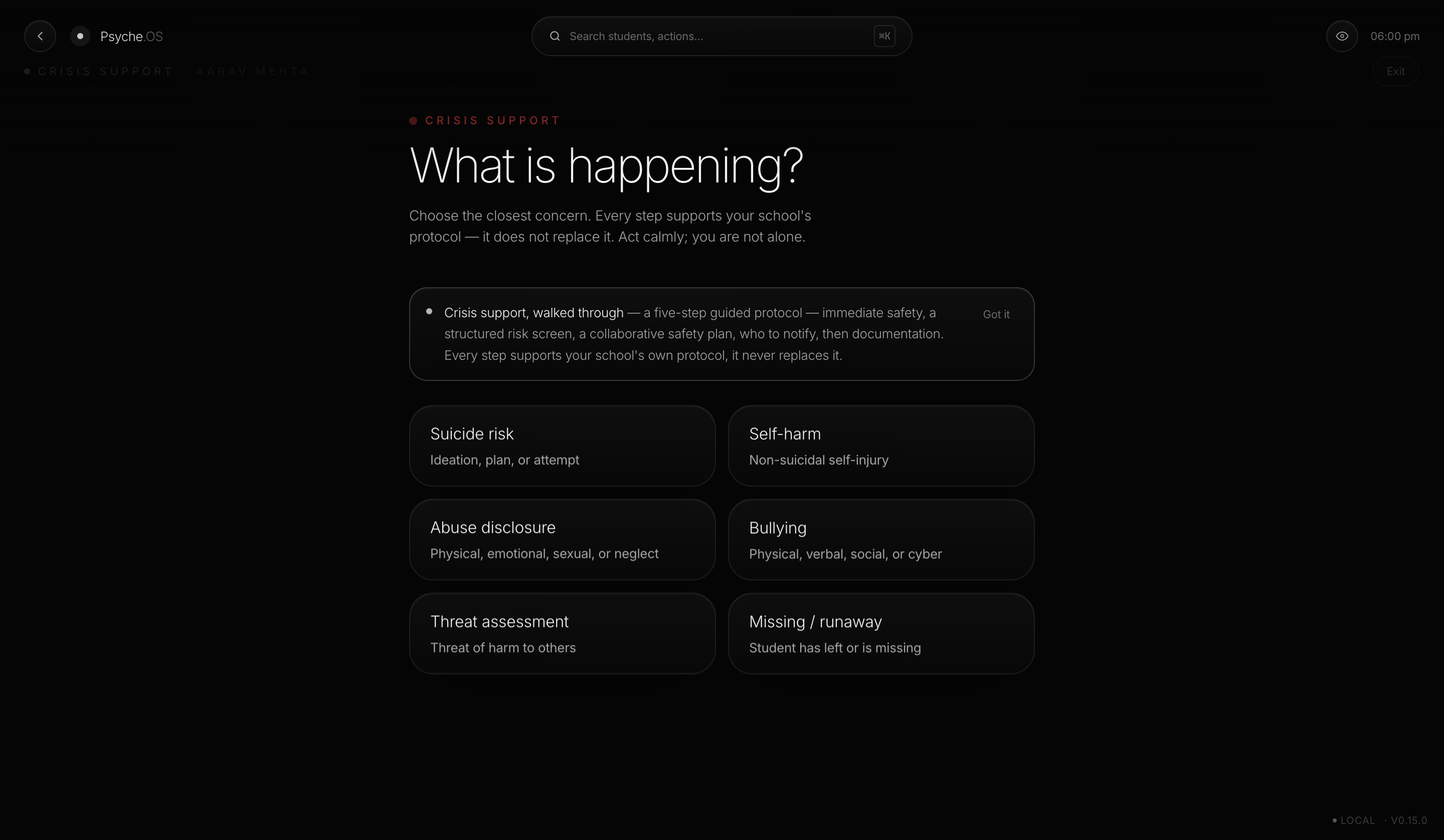
The orb densifies, and the whole room shares that mood, never red, never flashing. The counsellor is walked through an immediate-safety checklist, a structured risk triage scored to Low, Moderate, High, or Imminent, a collaborative safety plan, and one-click escalation with timestamped notifications and 24×7 helplines. Everything lands on the timeline as it happens. A crisis note carries a force-sign gate: Psyche.OS will not let one sit unsigned.
Scene 05
After the session.
The SOAP note is already most of the way written. The counsellor reviews it and signs, there's no save button anywhere in the product, signing is the save. If this was the Intern instead, the same act becomes an attestation, and it queues quietly for the Lead to co-sign later. Nothing is lost in the hand-off, it's just visible as a queue instead of invisible as a gap.
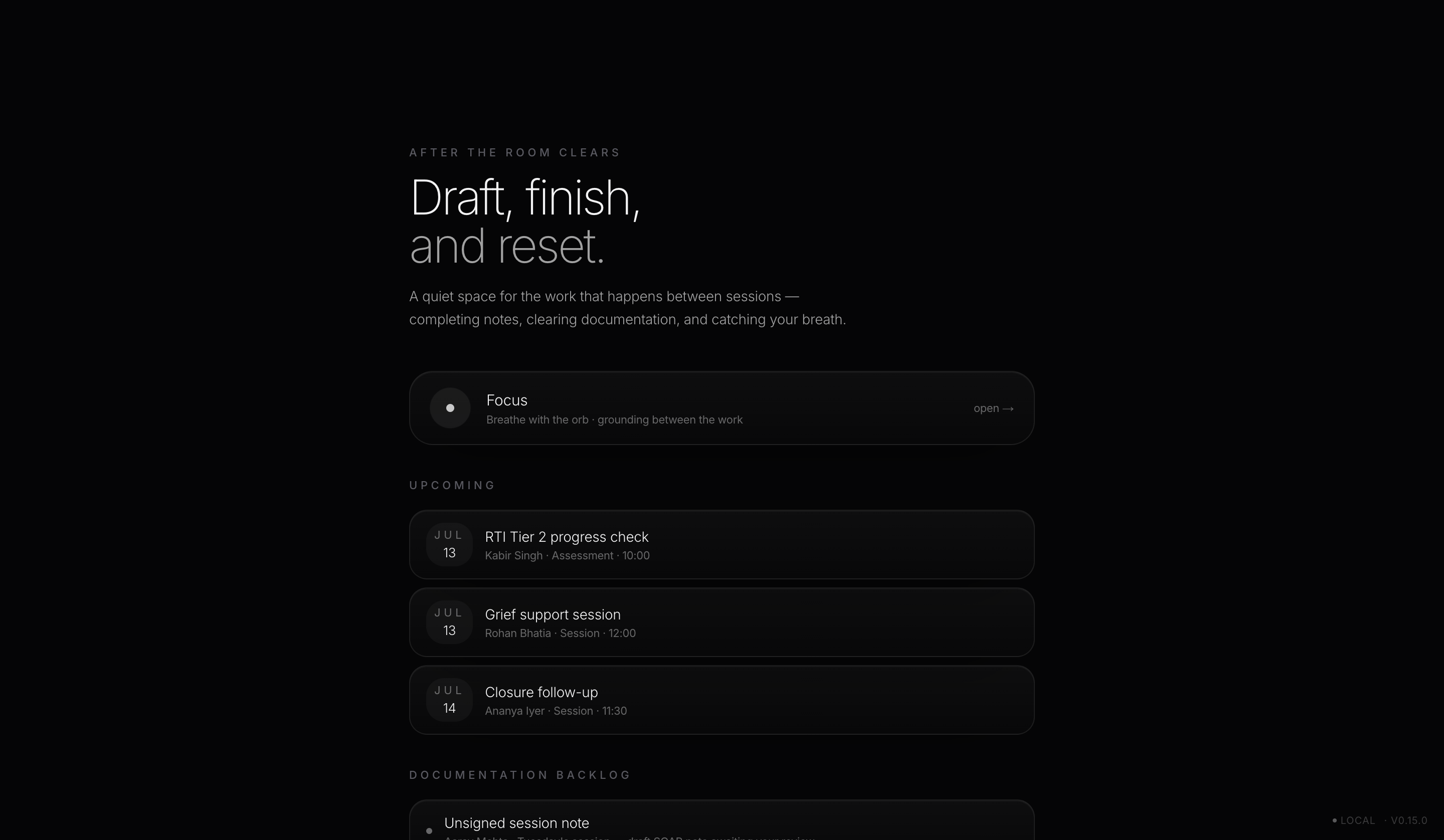
Scene 06
End of day.
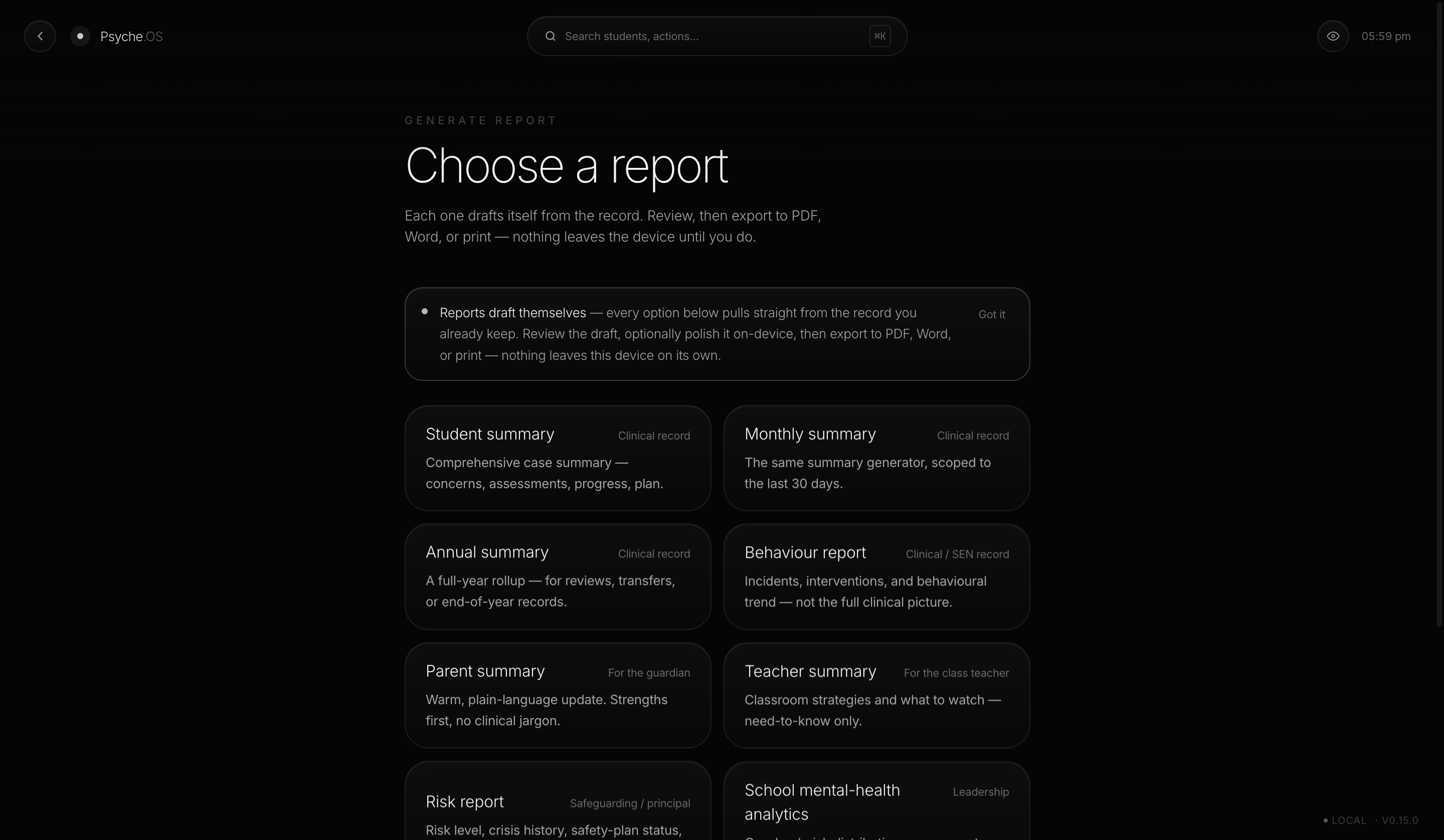
Before leaving, a report gets pulled, a parent letter, a teacher summary, a school-analytics view, generated straight from the real record: concerns, assessments, timeline, goals, crisis history. It can be polished on-device for tone only, and every AI-touched paragraph carries a visible "AI-drafted, review" badge until it's read and, if needed, hand-edited. Export it, or hand the device to a teacher or parent for their own portal view, gated by a PIN that's honestly a courtesy deterrent, and both sides know it.
Journey by moment
Every surface, in the order a day actually visits them.
Today's Queue
Priority pre-computed, shown as light, not alarm.
Calm, oriented
Command Palette (⌘K)
Find anyone or anything in under two seconds.
Frictionless
Intake
Risk level and a few tags, live on the roster instantly.
Fast, low-ceremony
Roster
The whole caseload, one list, risk-ordered, forgiving search.
In control
Session Mode
Live note, invisible SOAP, protocol deck on call.
Present with the child
Living Timeline
Crisis periods dense, calm periods empty, visually honest.
Contextual, not overwhelmed
Crisis workflow
Guided triage, safety plan, escalation, force-signed.
Held, not alone
Focus, breathing orb
A session countdown choreographed by the particle field.
Regulating
IEP & RTI
Goals plotted against an aim line, service logs kept honest.
Rigorous, defensible
Reports
Eight variants, AI-polish optional, always visibly badged.
Trustworthy
Insights
Worsening-trend and spike detection, narrated, not just charted.
Proactive
Teacher & Parent portal
Read-only, plus one bounded action and a message thread.
Transparent, bounded
Safeguarding
Structured packs for formal child-protection documentation.
Procedurally safe
Timetable
Free-text periods and days, since counsellors often teach too.
Flexible to the real school
What I hope you feel
I didn't build this to be flawless. I built it to be honest.
I could tell you Psyche.OS makes the hard days easy. It doesn't, and I'd rather say that plainly than let a demo convince you otherwise. What I can tell you is what it actually holds for you, and where it still asks something of you, the way I'd tell a colleague over tea, not the way a sales page would put it.
What I built to hold you
The force-sign gate, so a crisis is never left unsigned by accident. A hard rule against inventing anything. Search that finds a child even by a nickname or a typo, because I know how it feels to lose ten minutes you never had.
What still catches you
A walk-in that pulls you away mid-note. The same safety confirmation asked again, even on a case that hasn't changed in weeks. One device carrying the only copy. I haven't solved these yet, and I didn't want to pretend I had.
What a real year still costs
Two hundred interrupted days still leave some notes unfinished. The same gate that protects a child adds friction at the end of a long one. I'd rather you know that now than find it out alone, three months in.
If any of this sounds familiar, it's because I built it from inside the job, not from a spec sheet. I'm still building it, honestly, one real school day at a time.
First session, day one
No account screen. No tutorial modal.
-
01
Install to the home screen. HTTPS or localhost, that's the only requirement.
-
02
Open to an empty Today's Queue. Nothing blocks the surface first.
-
03
The first student goes through Intake and exists on the roster immediately.
-
04
The first session teaches the invisible-SOAP behaviour by doing it, not by explaining it.
-
05
The first exported report shows the deterministic-then-optional-polish pattern for what it is.
No account creation, no cloud sign-up. Data is local-first from the very first launch, which is part of the point: nothing leaves the device unless someone chooses to export it.
Where we're still building
Scope, stated plainly.
Norm-referenced instruments
Today's ADHD, autism, and learning-difference tools are originally-worded screening adaptations of well-known clinical structures. Full norm-referenced scoring is the next step on a positive screen, not a claim we make yet.
Encryption & access control
Data stays on the device today. Encryption at rest, roles beyond the portal PIN, and audit logs are designed into the model already, just not wired up yet.
True multi-counsellor sync
Built for one counsellor, one device, first. A shared caseload across counsellors and devices without a server is the harder problem, and it's next, not now.
This is where the product is headed, not a promise with a date on it. Every line above still has to earn its place, the same way everything already shipped did.